Netoholics Network × QSO One
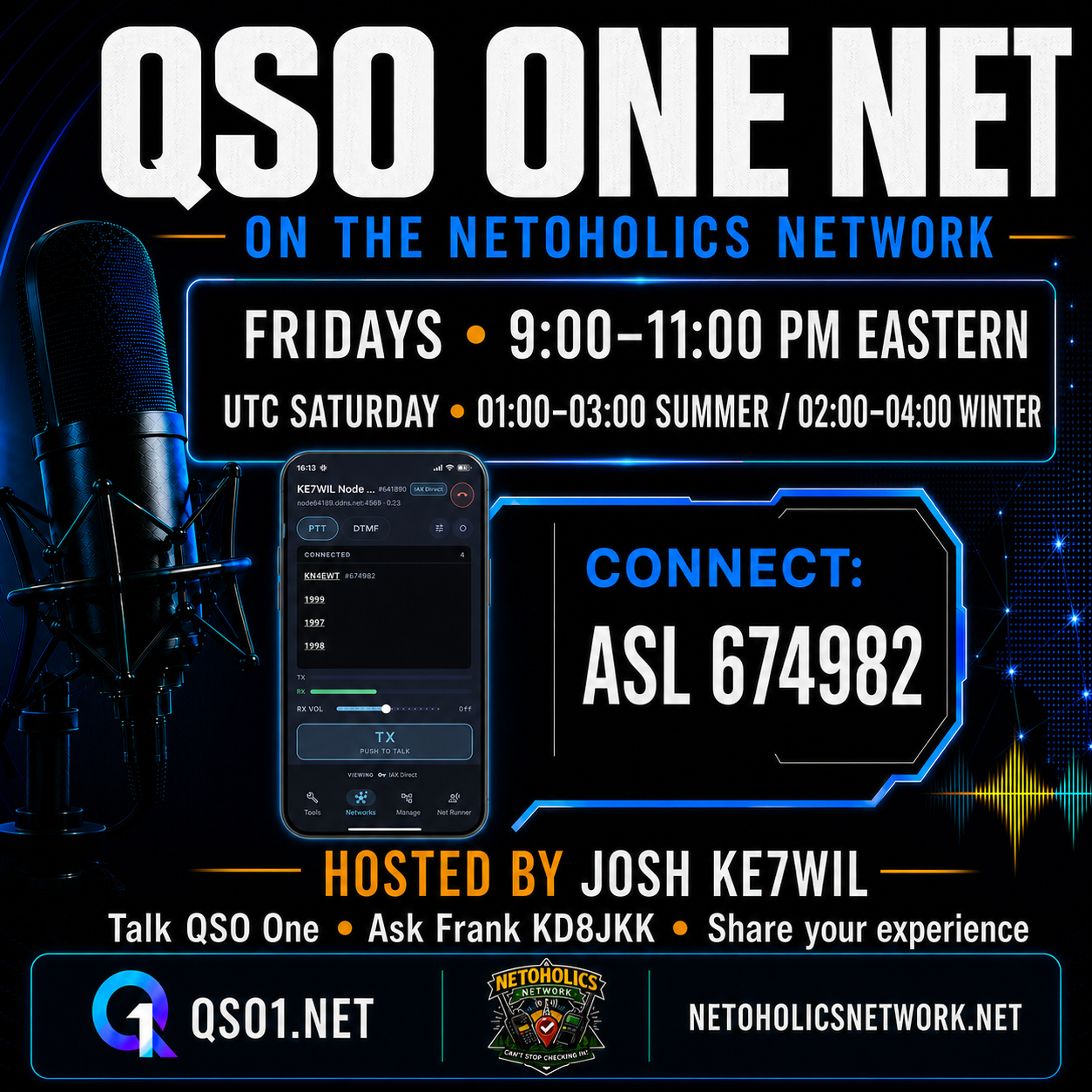
QSO ONE NET
Talk QSO One.
Ask the developer.
Share your experience.
Hosted by Josh, KE7WIL
on the Netoholics Network
 QSO ONEONE APP. A SHARED CONVERSATION.
Every Friday
9:00–11:00 PM EasternTwo hours together. Drop in for as long as you can.
Joining from another time zone?
Saturday in UTC01:00–03:00 UTC during Eastern daylight time (EDT).
02:00–04:00 UTC during Eastern standard time (EST).
Find your way on the air
Join the Friday conversation.
Connect to the Netoholics Network using the path that works for your station. AllStarLink node 674982 is the primary home of QSO One Net.
Primary connection
AllStarLink
Node
674982EchoLink
Node
506703DMR · TGIF
Talkgroup
67498System Fusion · YSF
Reflector
US-NetoholicsP25
Reflector
6749M17
Reflector / module
M17-NET ANXDN
Talkgroup
6749Zello
Channel
Netoholics NetworkThese are Netoholics network connections. Choose the appropriate app, radio, or client for your mode. Check current bridge status →
Pull up a chair
What happens Friday night?
This is an informal, multi-round discussion with fellow operators and Frank, KD8JKK, the developer of QSO One. Bring the question you have been meaning to ask, a feature you want to understand, or something useful you have discovered.
Current users, first-time users, and operators who are just curious are all welcome. Josh, KE7WIL, keeps the rounds moving as host and net control.
Only have a few minutes?
One-and-done and in-and-out check-ins are welcome. Let Josh know if you are mobile or short on time so he can move you toward the front of the log.
- 01
Check in
When Josh calls for your mode, give your callsign slowly and phonetically, followed by your name. Mention whether you have a question or a comment.
- 02
Ask, compare, troubleshoot
Ask Frank about the app, talk through a feature, or describe an issue. Someone else may have worked through the same thing.
- 03
Share what works
Exchange tips, help another operator, and tell us how you use QSO One. Stay for another round or sign off when you need to.
The app that started the conversation
Meet QSO One.
Frank, KD8JKK · Developer of QSO One
Ham-radio software had left a gap: existing choices were split by network or platform, while broader access often meant buying hardware and working through technical setup. Frank built QSO One as one modern client that brings multiple amateur-radio networks together on the devices operators already use.
It brings AllStarLink, EchoLink, IAX Direct, DMR (BrandMeister and TGIF), System Fusion (YSF), and M17 into one application.
iOS, macOS, and Linux are listed as coming soon. Check the official site for the latest availability and network setup requirements.
Explore QSO One at qso1.net ↗
Follow the live check-in log
Keep up with the net.
See who has checked in and follow along through NCO Logger, from the West Valley Amateur Radio Club.
- 01
Find “QSO One Net”
Open NCO Logger and look for the net in its live or scheduled listings.
- 02
Open the net
Open the listing to follow the log. Sign in when prompted to join or use account features.
- 03
Follow for reminders
Find QSO One Net in NCO Logger and click the heart to follow the net and receive reminders.
Between Friday nights
The conversation keeps going.
Meet other QSO One operators, compare notes, and stay connected with the community through the destinations linked from the official QSO One site.
Explore QSO One
Make Friday a radio night
Your callsign belongs in the conversation.
Come with a question, a tip, or just a little curiosity. We would be glad to hear you.
Fridays · 9:00–11:00 PM Eastern
Josh, KE7WIL · Netoholics Network
73 — see you on the net.